
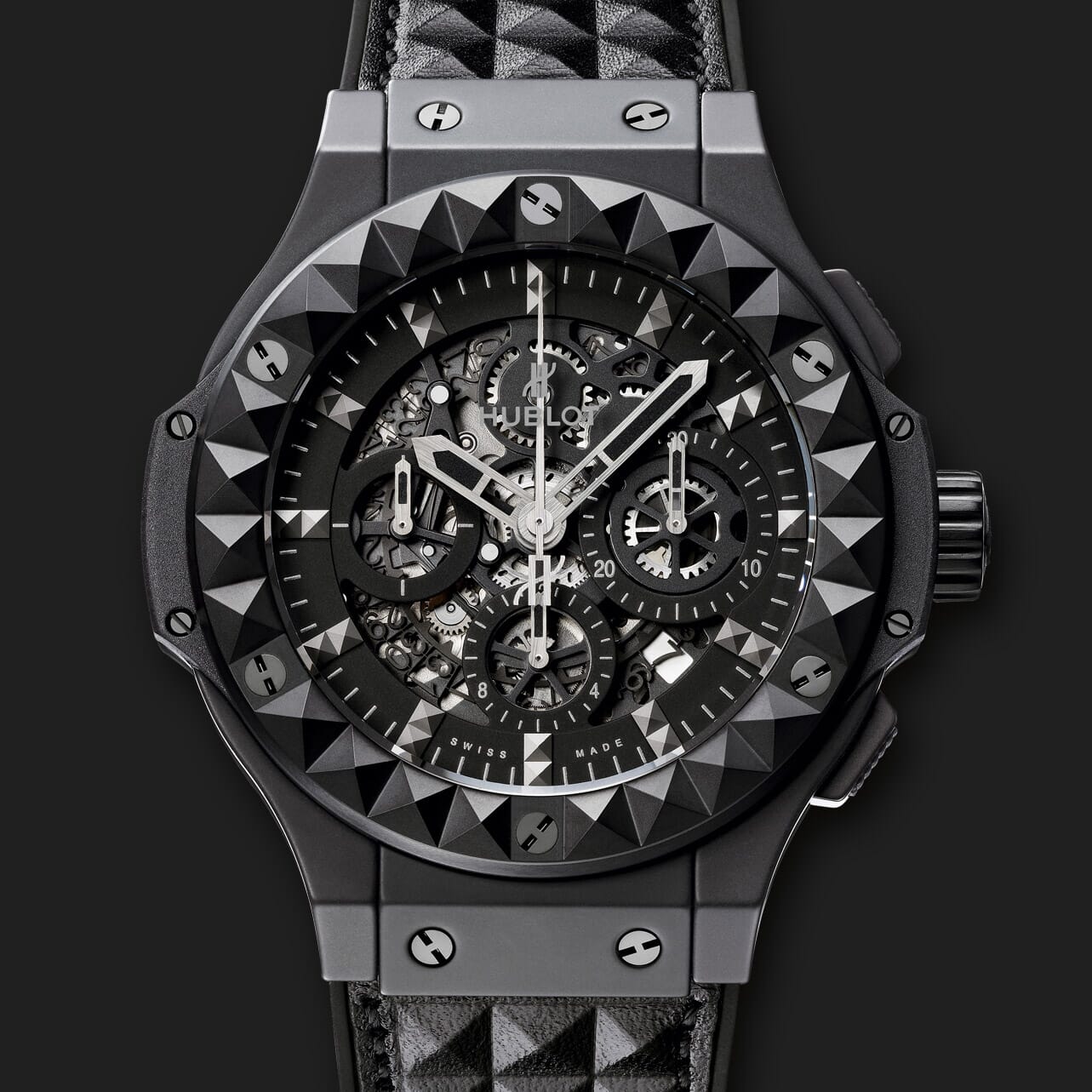


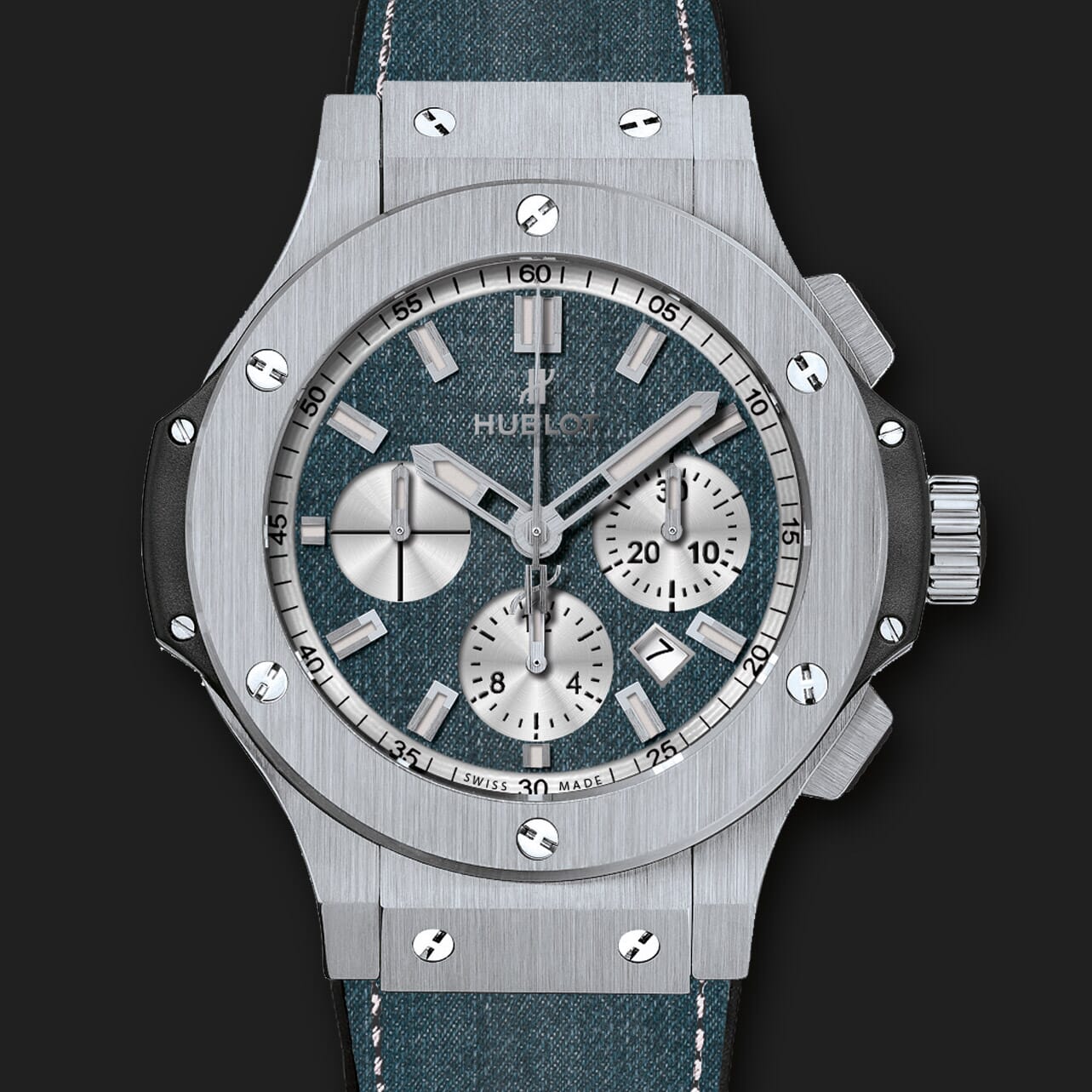
- Product details page
- Category page
- New products page
- All products page
- Search page
- New products block
- Specials block
- Featured block
- Manual install elsewhere
Use it anywhere!
Features you'll love...
- Responsive
- Instant loading
- Improves SEO
- Image caching
- Extremely flexible
- Auto image resizing
- Scrollable thumbnails
- All templates supported
- Instant watermarks for images
- On-demand loading
- Constantly updated
- no jQuery required
- Single payment and it's your forever
- Zen-Cart 1.5.x series
- Zen-Cart 1.3.x series
If businesses don't evolve, they fade away. The same is true of online shops - they must keep with the times to be successful.
That's why you should choose Magic Zoom for your Zen Cart store. Since 2006, this glorious zoom effect has been powering beautiful image zooms on Zen Cart stores.
Regularly improved, you can relax with the knowledge that your images will always have a fresh, cutting-edge experience.
Let your customers enjoy your products in every detail. This Zen Cart image zoom plugin can be used wherever you need it - Product pages, Category pages, Search pages, New product block - you name it.
This image zoom script can be easily customised with over 50 options. Just point and click on the options you want - choose the zoom style, size, hover effects, colours and styling.
The Zen Cart image zoom module works perfectly on all browsers and devices, including touch-screen gestures. It supports retina screens and multi-language websites. We're so confident you'll love it, every license has a 30 day money-back guarantee.
Download this product image zoom Zen Cart module today and make your images magnificent!
Installation
- Download Magic Zoom for Zen Cart (free and fully functional demo version).
- Unzip the file on your computer and FTP the magiczoom folder to your Zen Cart directory (on your server), keeping the file and folder structure intact.
-
 Go to http://www.yoursite.url/magiczoom/ in your browser > click 'Install' > click 'Continue' (replace yoursite.url with your domain name).
 -
 The demo version is now installed!
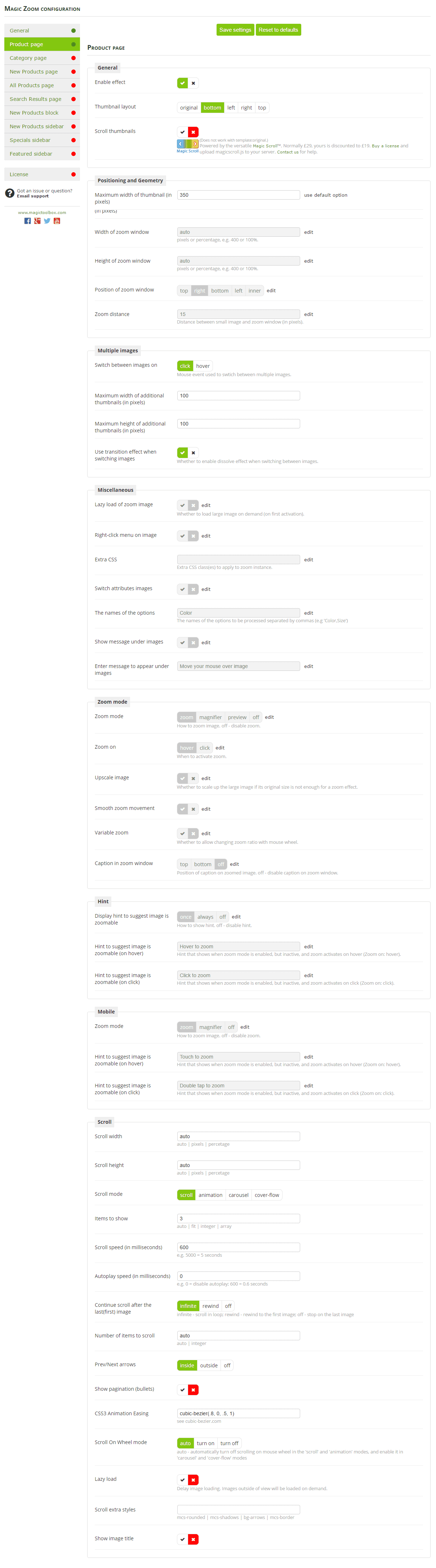
  Go to [Admin panel > Magic Toolbox > Magic Zoom] and configure Magic Zoom how you want it.
-
 Activate Magic Scroll to enjoy organised thumbnails on your product page: Admin panel > Magic Toolbox > Magic Zoom > Use Magic Scroll for thumbnails > Change to 'Yes' > Save changes.
 - Buy Magic Zoom To upgrade your free and fully functional trial version of Magic Zoom (which removes the "Trial version" text), buy Magic Zoom and overwrite following file with the same one from your licensed version:
includes/templates/YOUR-TEMPLATE-FOLDER/jscript/magiczoom.js



Multi-language
You can change the language of the message and loading text like so:
Copy the file:
includes/languages/english/extra_definitions/magiczoom.php
to the folder:
includes/languages/[your language]/extra_definitions/
Open the copied file and paste your translation into the quotes, i.e.:
//Message under images
define('MAGICTOOLBOX_MESSAGE_UNDER_IMAGES', 'Put your translation here.');
//Loading message text
define('MAGICTOOLBOX_LOADING_MESSAGE', 'Put your translation here.');- Repeat these steps for each language you wish to change.
Multiple images
Swapping between many images is already a standard feature in Magic Zoom. But if you have lots of images, the page can look complicated.
Make your thumbnails look slick and organised with Magic Scroll for Zen Cart. It neatly contains the images adds arrows to slide between them. Example:









- Simply activate Magic Scroll on the Magic Zoom options page.
- To remove the "Please upgrade" text, buy a license and overwrite the /includes/templates/YOUR-TEMPLATE-NAME/jscript/magicscroll.js file with that from your licensed version.
Combine zoom & spin
To zoom some images and spin others on your product page (like the example above), you can install both Magic Zoom and Magic 360.
- Install the Zen Cart module for Magic Zoom.
- Install the Zen Cart module for Magic 360.
- Create a new product or open an existing one.
-
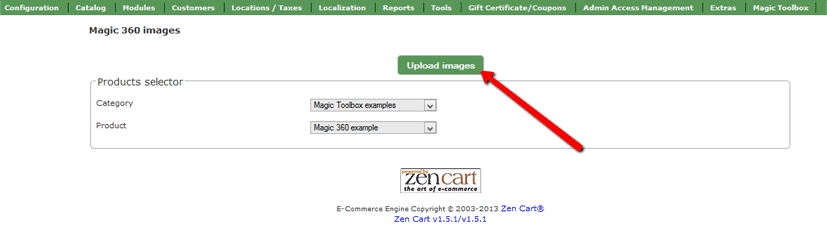
 Upload your 360 spin images via Upload images and browse your computer for your set of images.
 Upload your zoom images.
If you use the following folders to upload product images, please continue to do so:
images / dvd
images / medium
images / largeThis example will use the 'images / dvd' folder only.
The filenames of your large images (we recommend 800px height for each image but you can use any size) should be in a sequence ending in -01.jpg, -02.jpg etc. like so:
bike-01.jpg
bike-02.jpg
bike-03.jpgUpload all the large images to 'images / dvd' folder on your server. (NB: Zen Cart will automatically create a smaller version of your images to fit your Product and use your original large images for the zoom and enlarge effects).
- screenshot

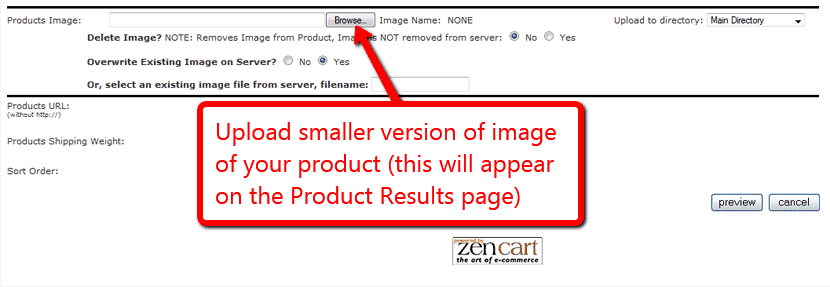
Go to Admin panel > Catalogue > Categories/Products > [Your product]. Scroll down to the product image section and click 'Browse'. Upload a small image of your product (to appear on the Category page). The image name must be the same prefix as your large zoom images, in this example it would be:
bike.jpg
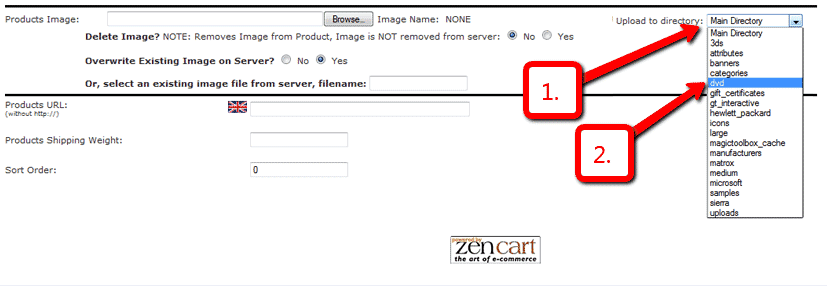
- screenshot Under Upload to directory, select "dvd" from the drop down menu.
- Under Overwrite Existing Image on Server? select "no".
- Click 'Preview'.
- Click 'Update'.
- That's it! Your small image will now appear on the Category page. Your large images will appear as zoom and enlarge features on your Product page.
- screenshot
Product attributes






Do your products come in different colours or styles?
Magic Zoom supports Zen Cart product attributes out of the box.
Configure products so each attribute has its own zoomable image.
Using attributes keeps your page clutter free, at the same time displaying all your wares.
Uninstallation
Thanks for trying Magic Zoom on your Zen Cart site! What did you hope Magic Zoom could do? How can we improve it? Let us know, we're always improving our tools based on customer feedback.
- Go to http://yoursite.url/magiczoom/ in your browser and click 'Uninstall' (replace yoursite.url with your domain name).
- Delete the magiczoom folder from your Zen Cart directory (on your server).
- Magic Zoom is now uninstalled.
Customer reviews
Carl, NavajoSpirit.com
Submit your review
Your review has been received and will be posted soon.
Other Zen Cart plugins
Try our other great image effects!
 Magic Zoom Plus
 Magic Thumb
 Magic Slideshow
 Magic 360
 Magic Scroll
This module was created for the Zen Cart shopping cart platform. For help with this module, please contact us.